
If you work with SCADA systems, you know the pain. You’re on-site, staring at raw hex frames, and your laptop is back at the office. You need to decode a Modbus response or check a DNP3 unsolicited message — right now.
That’s why SCADA Protocol Analyzer exists. It’s an Android app that puts a full protocol decoder in your pocket.
Table of Contents
What It Does
SCADA Protocol Analyzer takes raw hex data and breaks it down into readable fields. Paste a frame, tap Decode, and get a clear breakdown of headers, function codes, data objects, and timestamps.
It supports the most common industrial protocols:
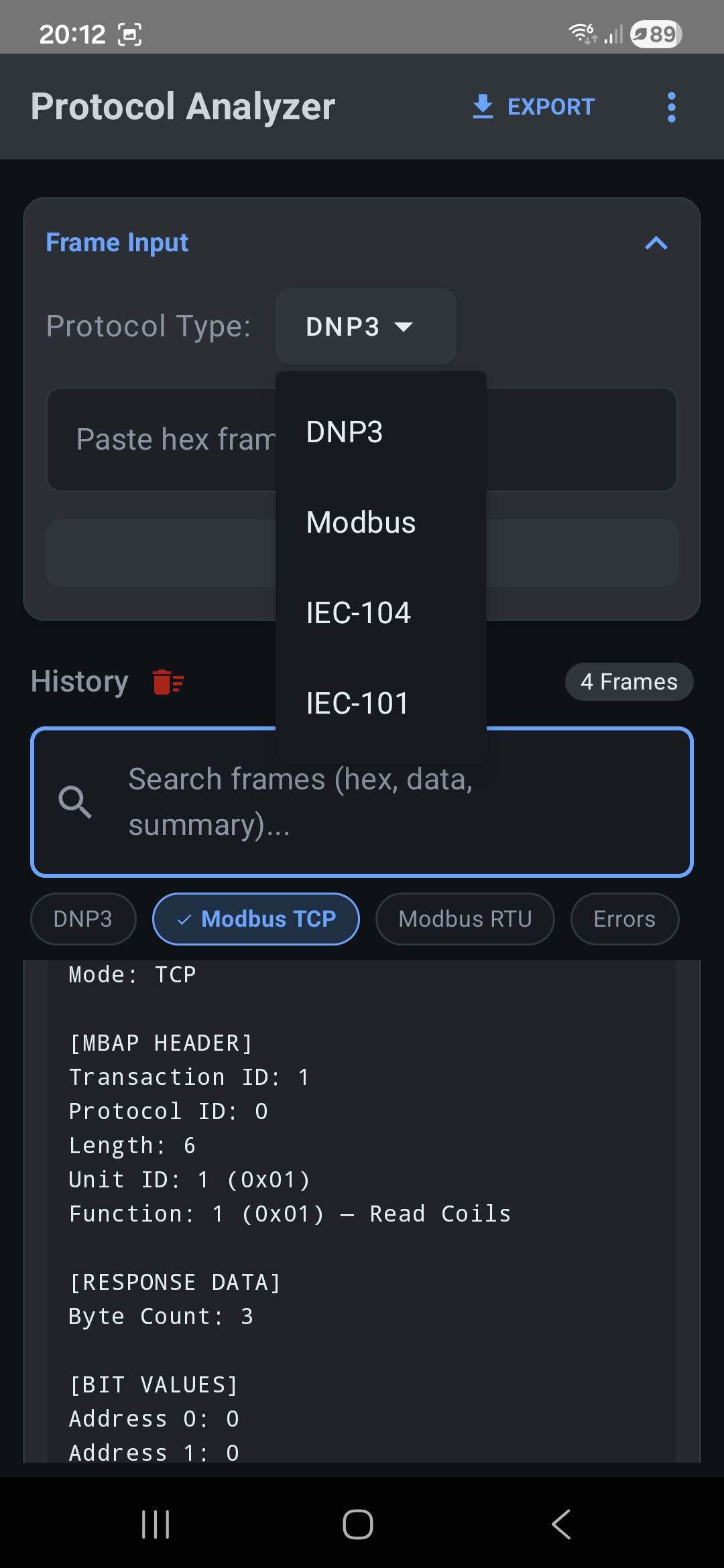
- DNP3 — Full decode of application layer functions, data objects (analog inputs, binary inputs, time and date CTO), IIN flags, and transport layer details like sequence numbers and FIR/FIN flags.
- Modbus TCP — MBAP header parsing, function code identification, response data with bit-level coil values and register contents.
- Modbus RTU — Same Modbus decode, but for serial frames with CRC validation. Supports a reference request field so you can match responses to their original requests.
- IEC 60870-5-104 — Decode IEC 104 APCI and ASDU frames used in power grid telecontrol.
- IEC 60870-5-101 — Support for the serial variant of the IEC telecontrol standard.
How It Works
The app has a simple layout. At the top, you pick your protocol type from a dropdown. Below that, you paste your hex frame. For Modbus, you can also paste the original request so the app can give you better context on the response. You choose your data format (16-bit unsigned, signed, float, etc.) and hit Decode.
The result shows up in your history. Each decoded frame gets a card with the protocol type, a timestamp, and a short summary like “Unit 1: Read Coils” or “UNSOLICITED_RESPONSE.” Tap the card and you see the full breakdown — every layer, every field, every data point.
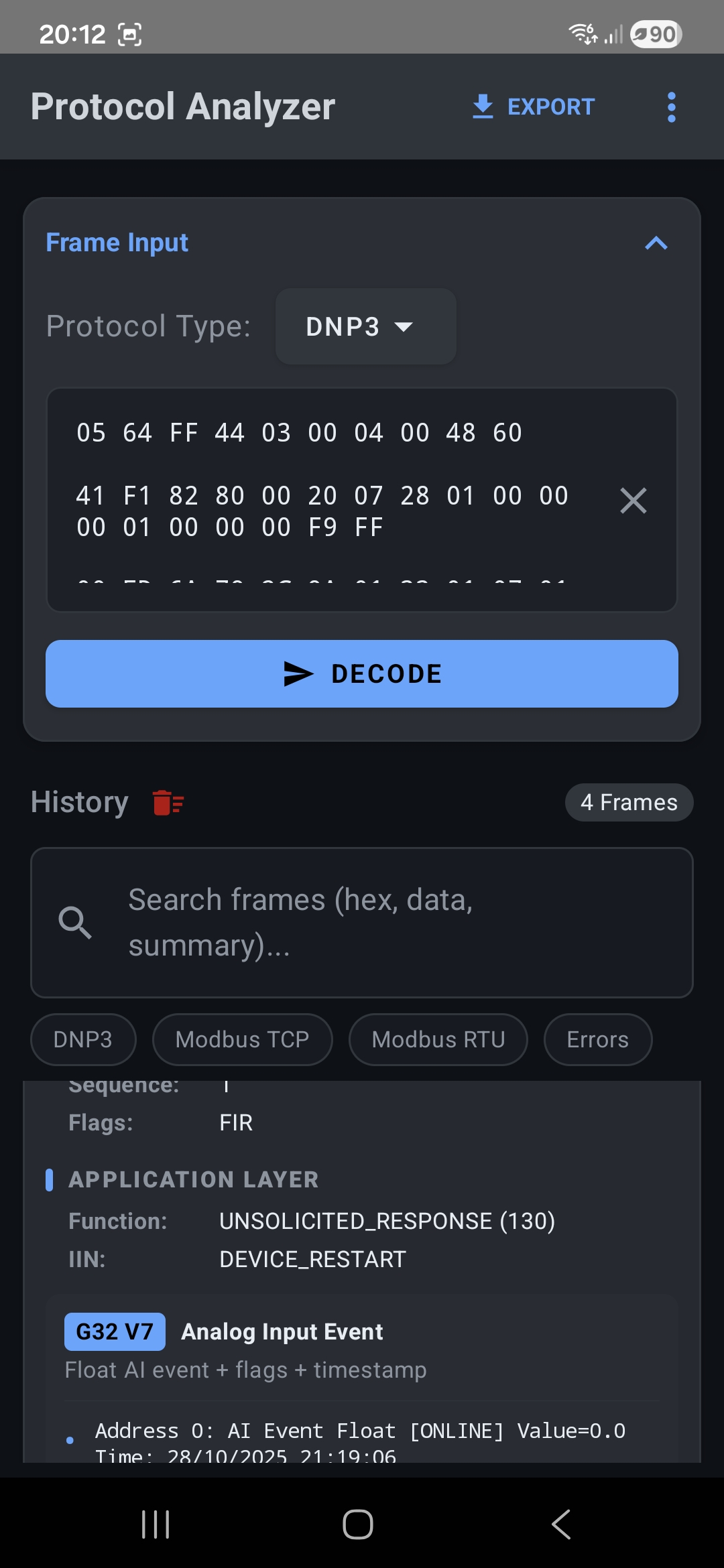
For DNP3, that means you’ll see the data link layer, transport layer, and application layer all parsed out. Data objects are listed with their group and variation numbers, quality flags, values, and timestamps. For example, a G32 V7 Analog Input Event will show the float value, the ONLINE flag, and the exact time down to the second.
For Modbus TCP, you get the MBAP header (transaction ID, protocol ID, length, unit ID), the function code, and the response data. Coil reads show individual bit values at each address. Register reads show the raw and interpreted values.
Features That Help in the Field
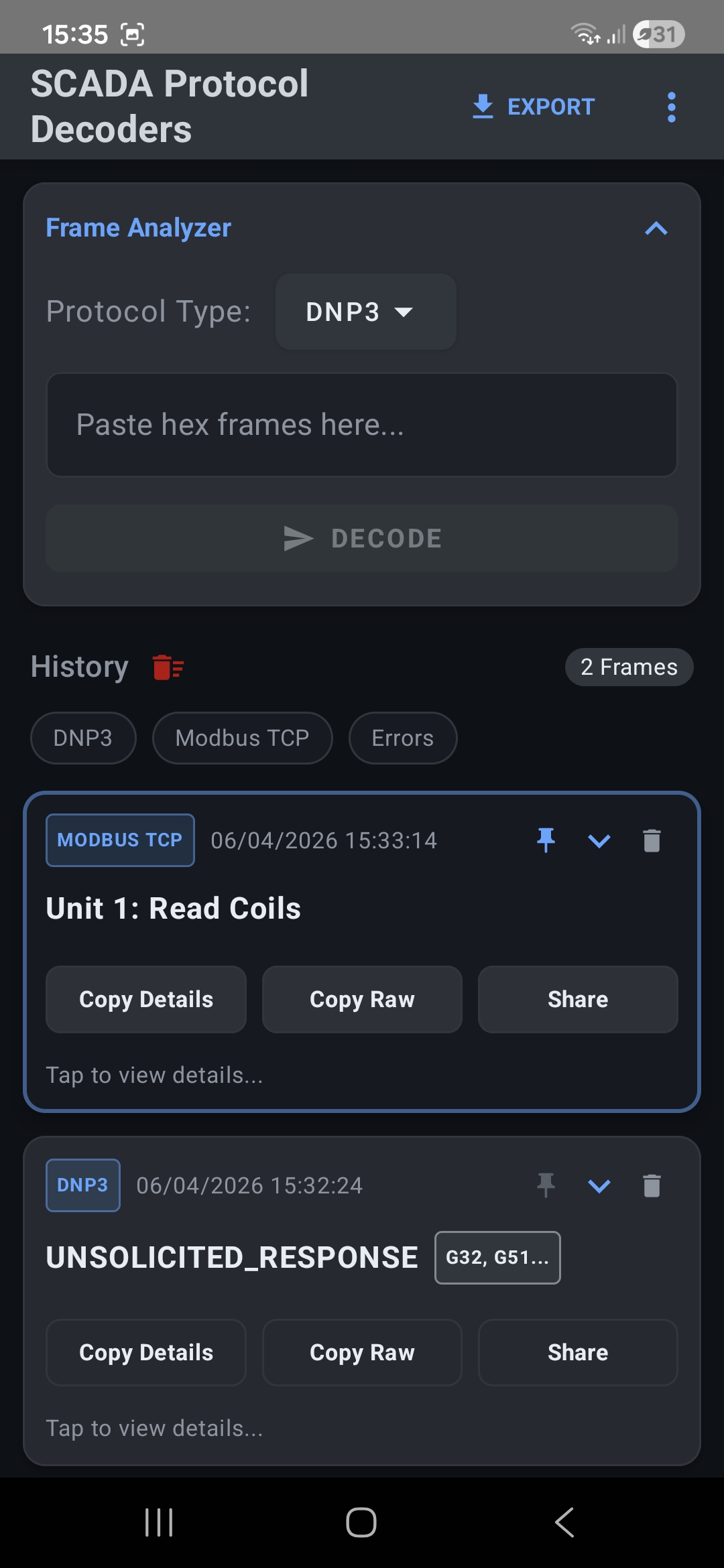
History with Search and Filters — Every frame you decode is saved. You can scroll back through past frames, search by hex content or summary text, and filter by protocol type (DNP3, Modbus TCP, Modbus RTU) or errors. This is useful when you’re decoding a sequence of messages and need to compare them.
Raw Data Stream View — For DNP3 frames, you can see the full hex data stream in a clean grid layout. This helps when you need to cross-reference specific bytes or spot patterns in the raw data.
Copy and Share — Each decoded frame has buttons to copy the decoded details, copy the raw hex, or share the result. Handy for sending a quick breakdown to a colleague or pasting into a report.
Export — The app lets you export your decoded history. Useful for documentation or when you need to hand off your findings.
Protocol Guides — Built-in reference guides for Modbus, DNP3, IEC-104, and IEC-101. When you need a quick refresher on function codes or object types, it’s right there in the app.
Pin and Delete — Pin important frames to keep them at the top. Delete the ones you don’t need.
Who Is This For?
This app is built for people who deal with SCADA and industrial control systems on a regular basis. That includes:
- Field technicians commissioning or troubleshooting RTUs, PLCs, and HMIs.
- SCADA engineers who need to verify protocol traffic during integration or testing.
- Control system integrators working across multiple sites and protocols.
- Cybersecurity analysts reviewing captured SCADA traffic for anomalies.
- Students and trainees learning how these protocols work at the byte level.
Why Use a Mobile App?
Desktop tools like Wireshark are powerful, but they’re not always practical. When you’re standing next to a panel in a substation or a water treatment plant, pulling out your phone is faster than setting up a laptop. You can paste hex from a serial monitor, a colleague’s message, or a protocol log and get answers in seconds.
The app runs offline. No cloud, no accounts, no internet needed. Your data stays on your device.
Get Started
SCADA Protocol Analyzer is currently under review for the Google Play Store and will be available soon. Stay tuned for the official release. Once it’s live, just paste a hex frame and see for yourself. Whether you’re decoding a Modbus holding register read or parsing a DNP3 unsolicited response with mixed data objects, the app does the heavy lifting so you can focus on solving the problem.